Equipment Monitoring Platform
1. UniEnergy Platform Overview
This device can be connected to UniEnergy Cloud platform, providing comprehensive intelligent management support for new energy stations. Through real-time data collection, monitoring, and analysis, it ensures the efficient operation of photovoltaic, energy storage, charging piles, and other equipment within the station. At the same time, intelligent operation and maintenance and fault warning functions effectively guarantee the stability and safety of the equipment, helping to achieve a win-win situation of green, low-carbon and economic benefits.
This document briefly introduces the functions of the platform connected to EMS. For detailed introduction, please log in to the official website of UniEnergy to download user manual .
2. Login and Account Management
2.1 Account
- Web login address: https://console.UniEnergy.cloud
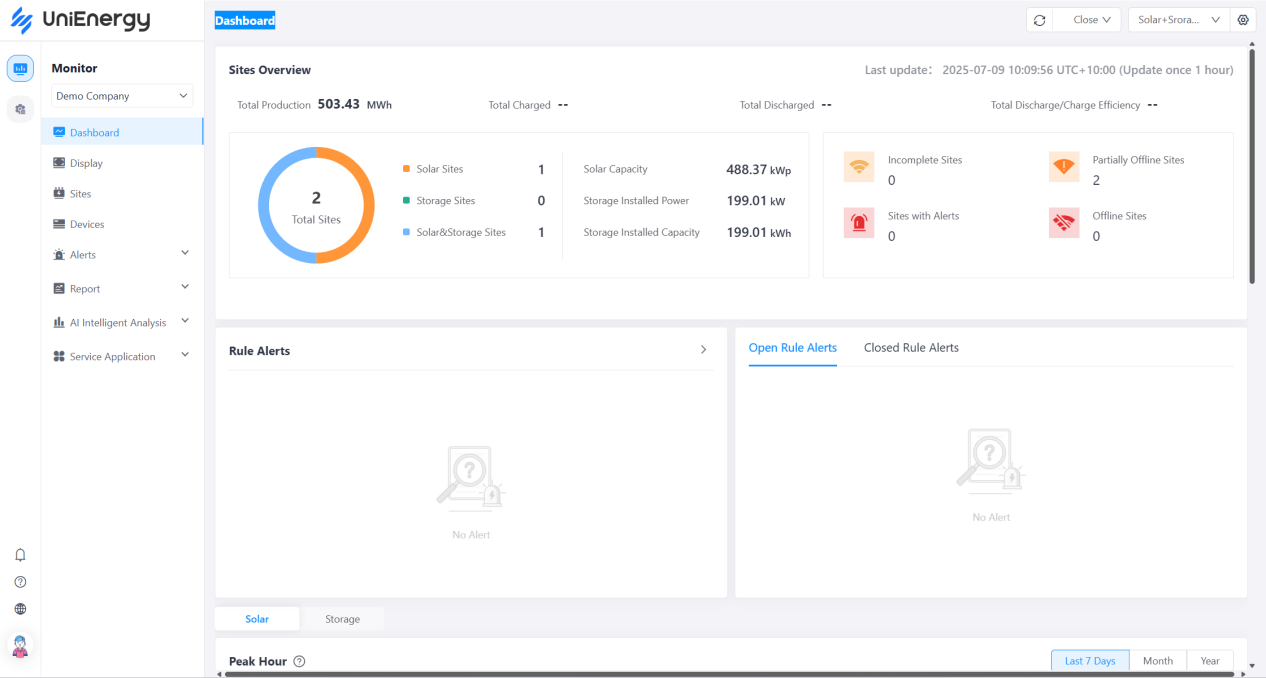
- Enter the account and initial password assigned by the enterprise administrator (platform) to log in. You need to change the password for the first login. The interface after login is as follows:
2.2 Personal Settings
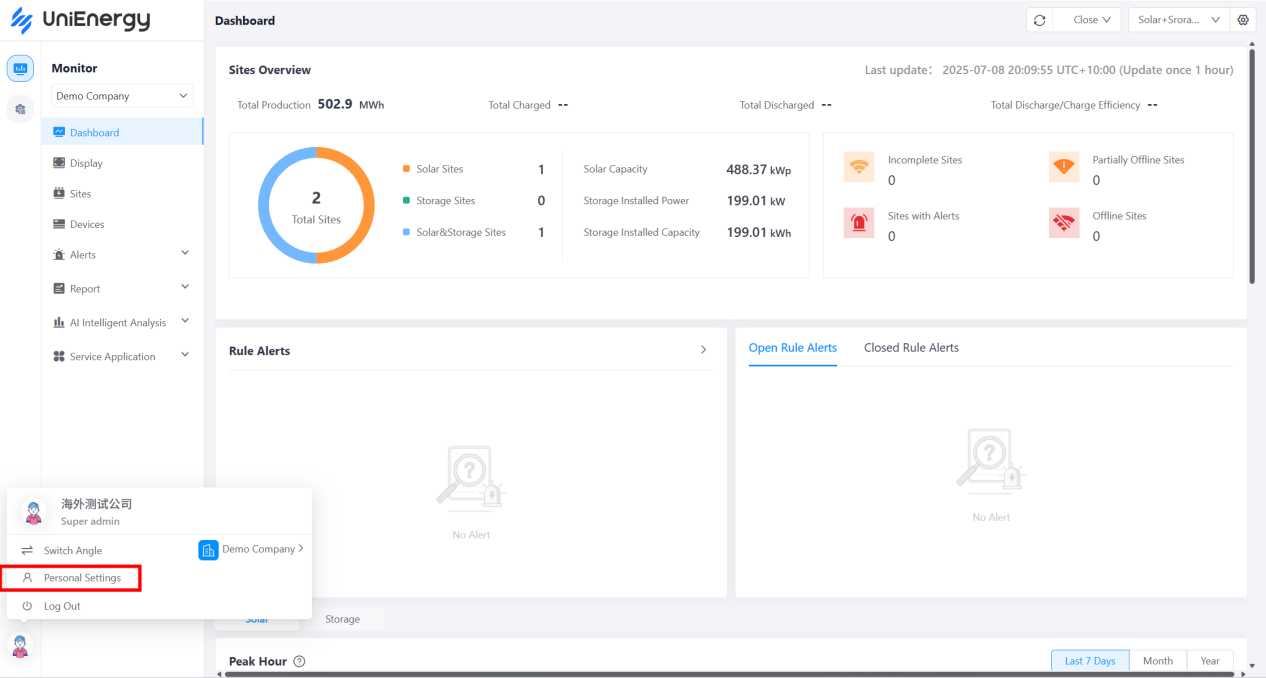
Click on the profile picture in the lower right corner of the page to set your personal settings, where:
- Personal Info: Modify profile picture and name.
- Account Security: You can modify your email address, mobile phone number, username, login password, and log out of your account.
- Preference: You can set the temperature unit and power unit preferences, which will affect the display of corresponding data units on the page.
3. UniEnergy Platform Features
3.1 Dashboard
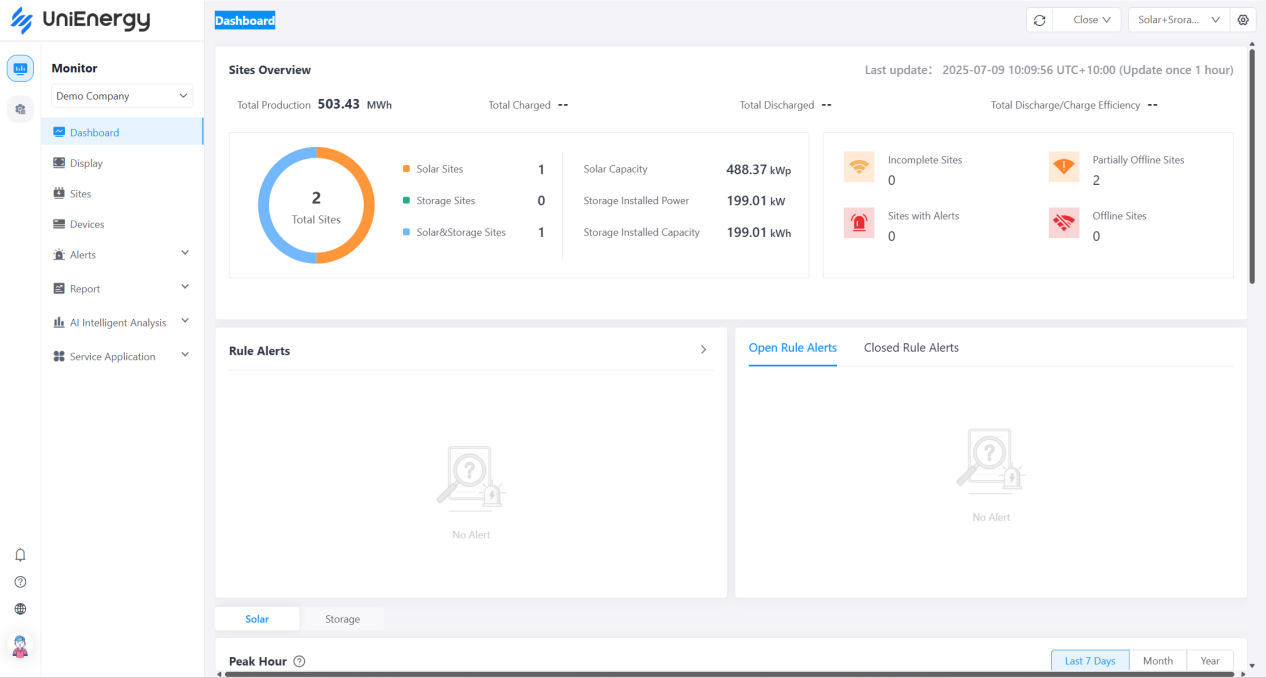
The Dashboard can help operators and managers understand the overall operation of the stations managed by the group and its subordinate units, and fully understand the operating status of the station cluster through overall data statistics, charts, rankings, maps, etc.
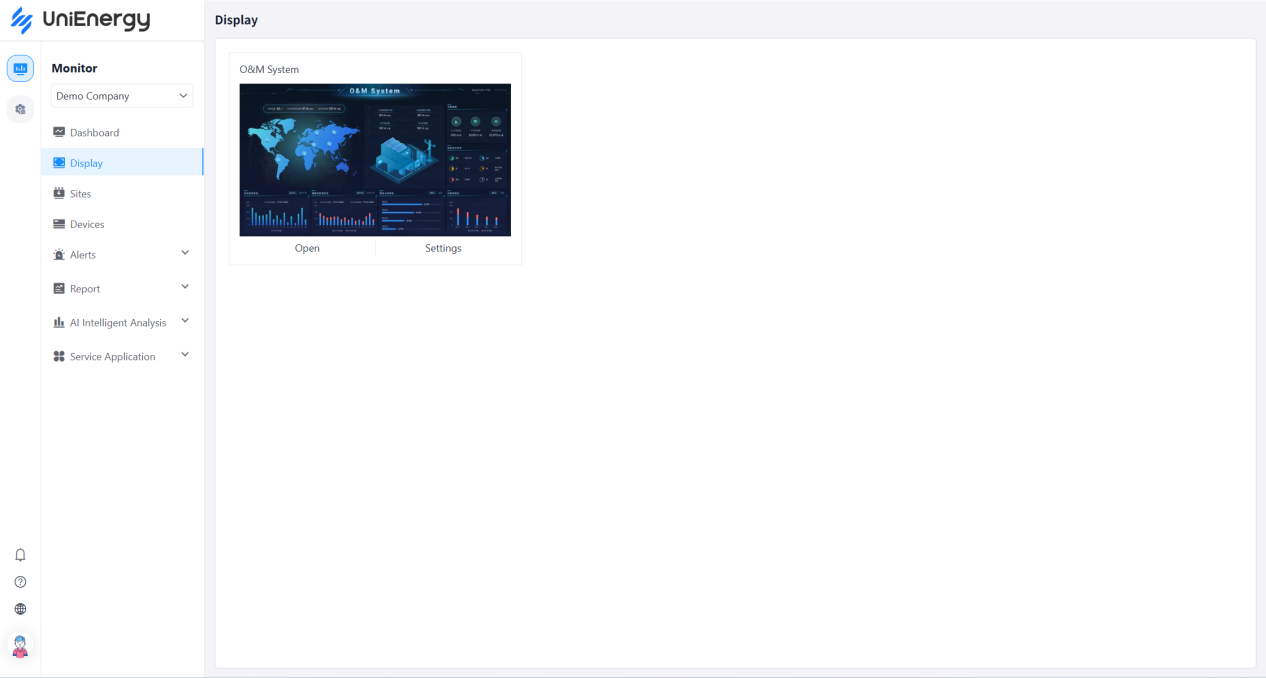
3.2 Display
The Display serves as a central dashboard for site operators and managers to monitor the operational status of the group's photovoltaic and energy storage site clusters and those of its subsidiaries. It integrates maps, statistics, charts, rankings, and other methods to provide a hierarchical, multi-dimensional view of data. This effectively supports daily monitoring, performance analysis, benchmarking, and decision-making, enhancing the transparency and efficiency of site cluster management.
3.3 Sites
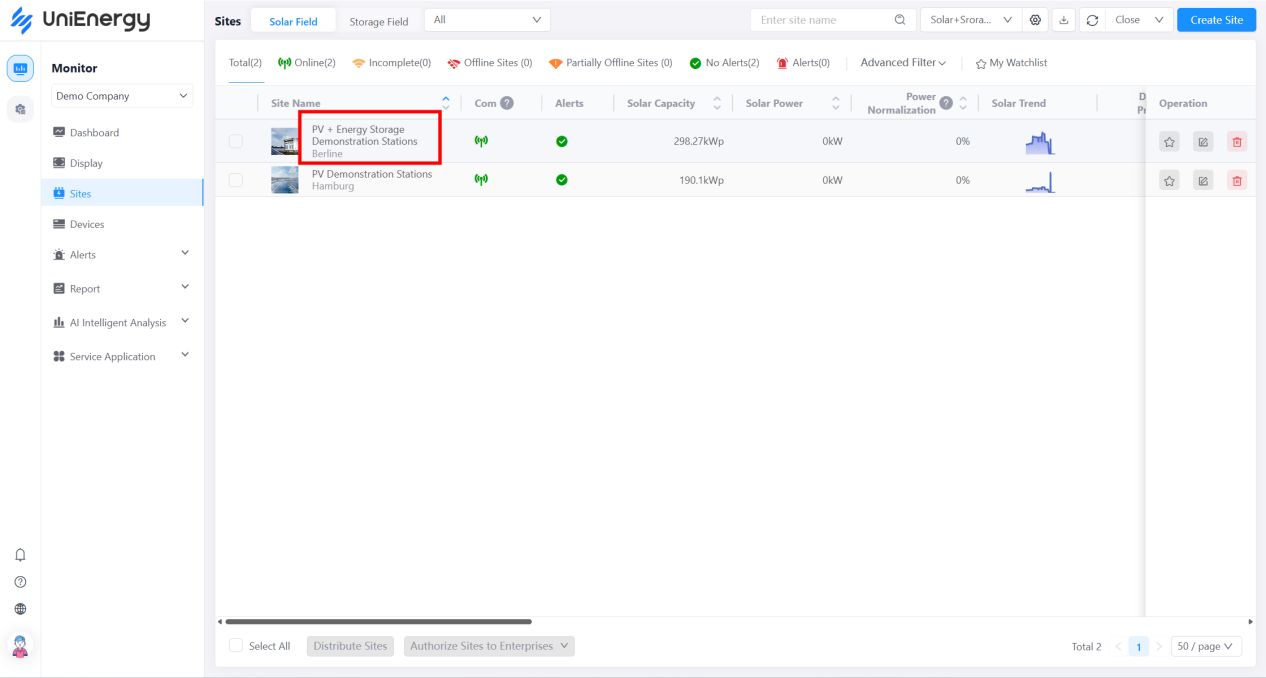
Users can view detailed information about the site and perform related operations in the site details, which include modules such as data dashboard, sub-sites, devices, alerts, video monitoring and settings.
Select a station from the station list to display its details page as shown below:
3.3.1 Sub-site
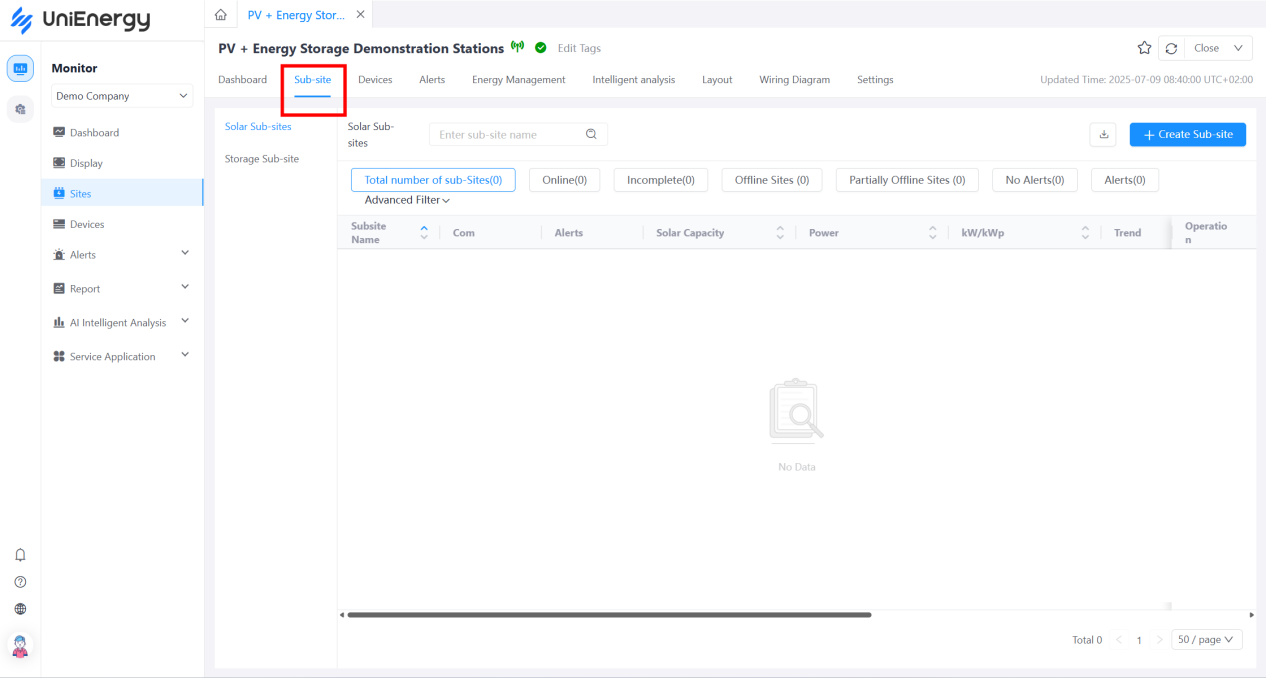
Select Sub-site tab on the site details page. Sub-sites are suitable for industrial and commercial parks with multiple rooftops or multiple integrated energy storage containers. You can create multiple sub-sites for all rooftops or integrated cabinets and transfer equipment belonging to these rooftops or integrated cabinets to the sub-sites, which will then be used to store data.
3.3.2. Devices
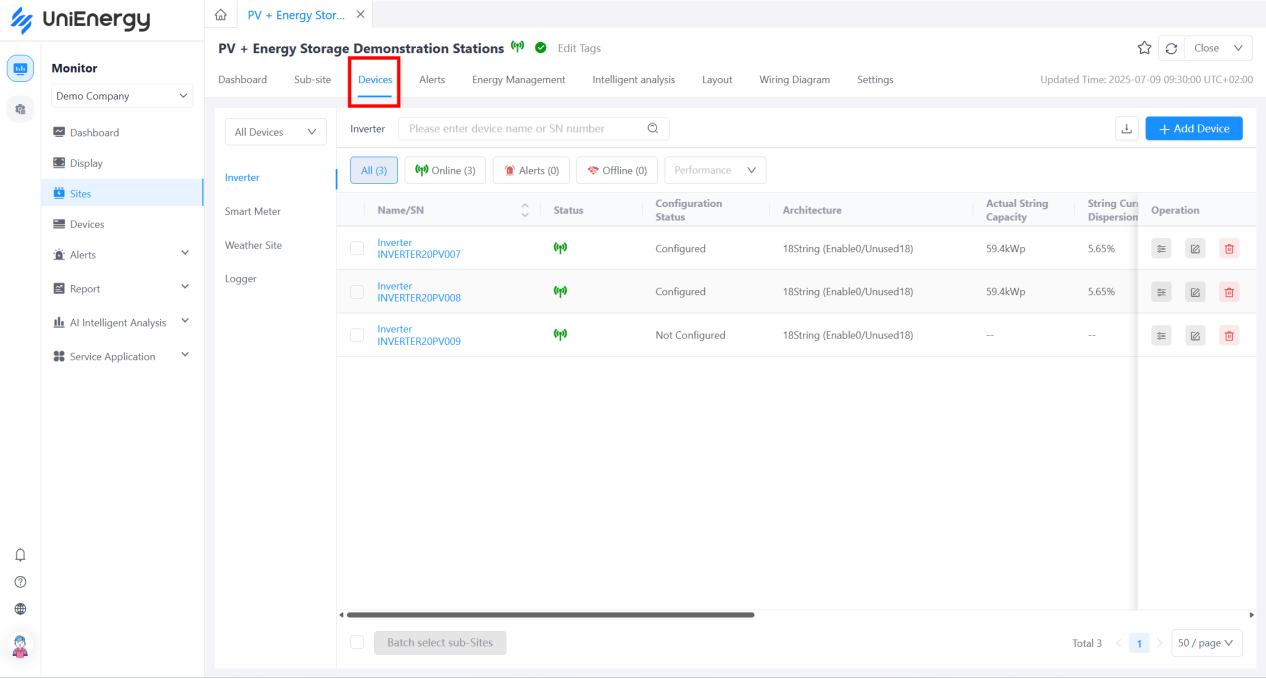
Select Devices tab on the site details page. Devices manages all devices within the site, supporting operations such as device query, device details, device control, editing, and deleting, meeting user needs for device operation and maintenance.
3.3.3 Alerts
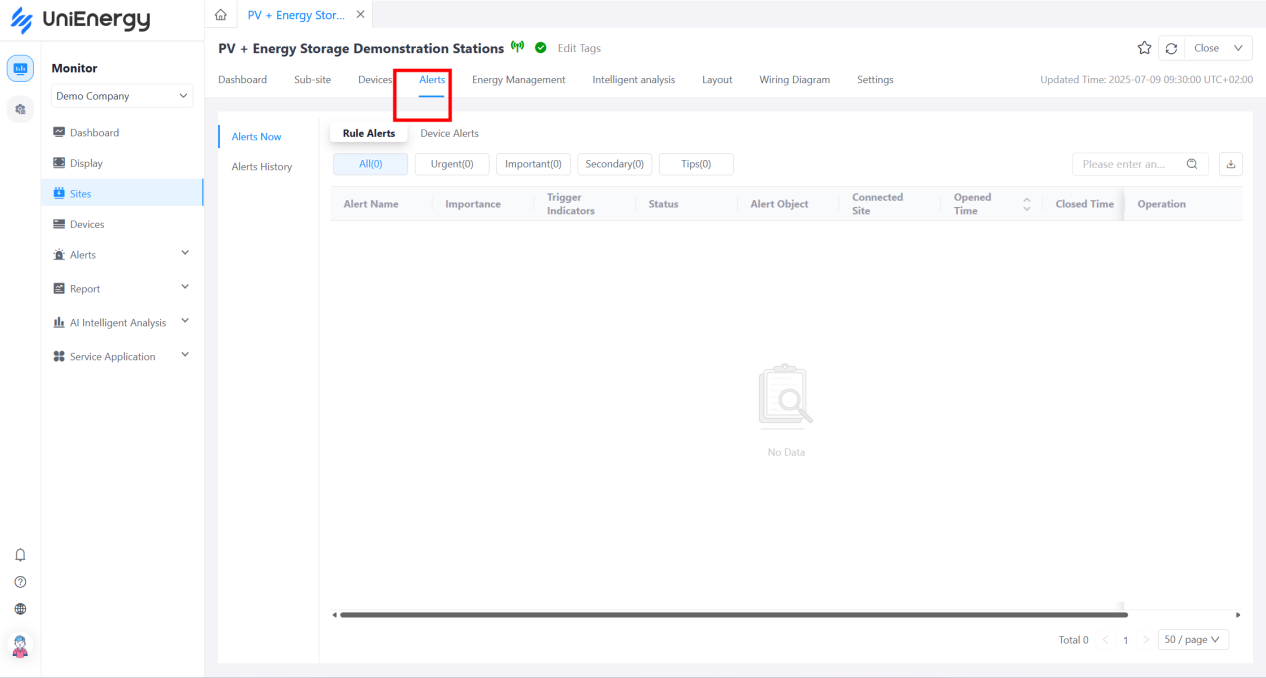
Select Alerts tab on the site details page. Alerts displays the real-time and historical alarms for the station.
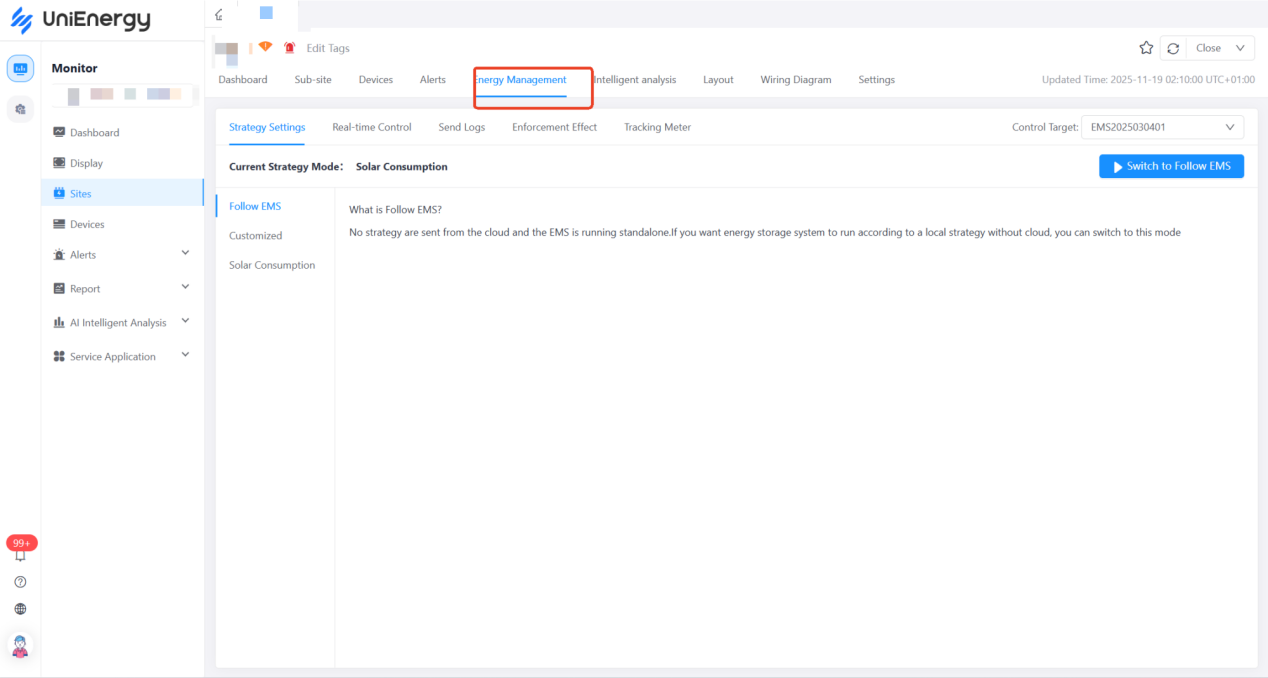
3.3.4 Energy Management
Select Energy Management tab on the site details page. Energy Management allows you to set daily EMS execution strategies and real-time control, achieving cloud-edge integration. Unlike conventional device control, all control content in Energy Management is determined by standard object models. Device vendor protocols only adapt to the requirements of standard object models and do not support customization. If your device is not compatible, this module will not work.