System Management
1. System Settings
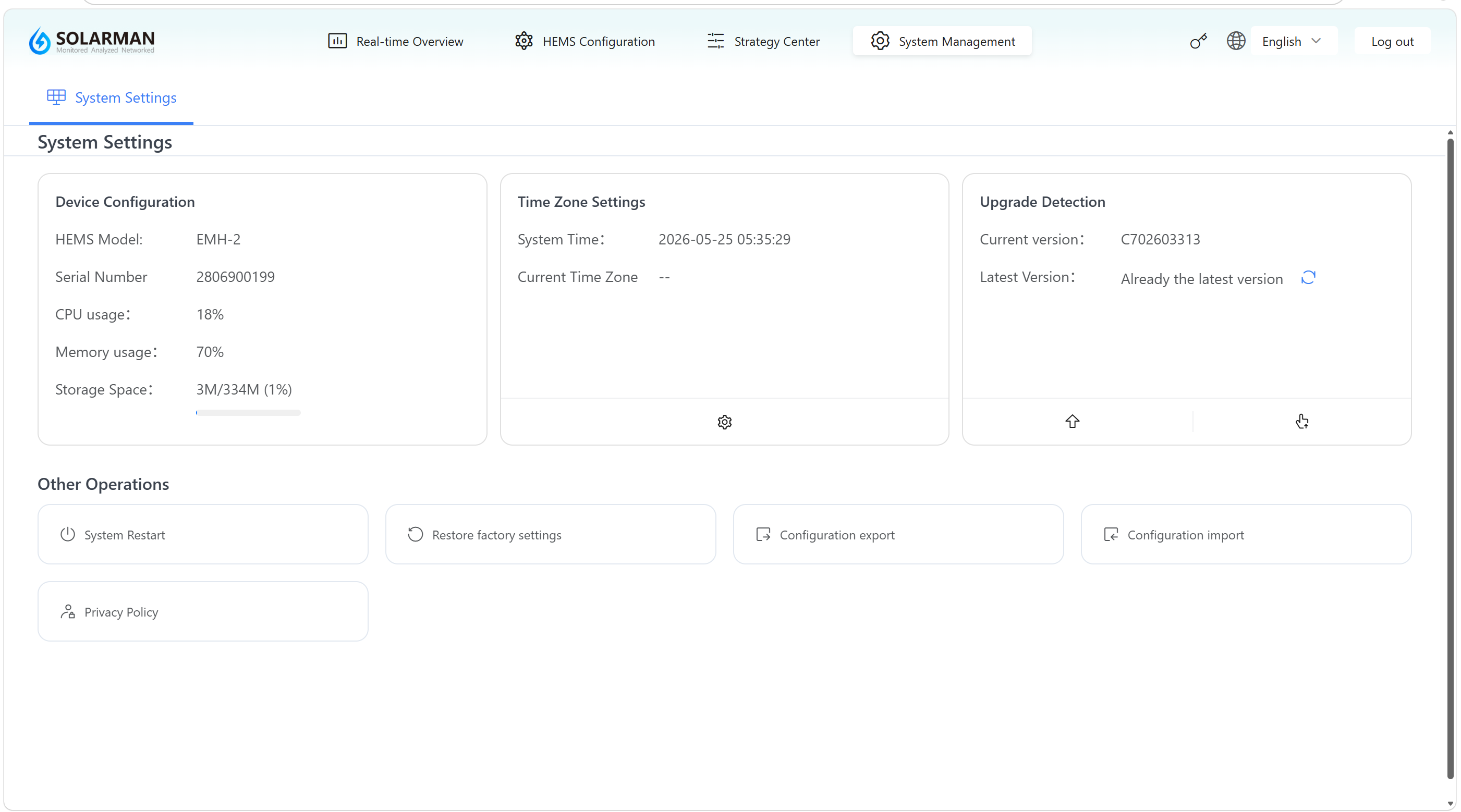
In the System Management module, open the System Settings page to view basic device information and perform operations such as system maintenance, time configuration, and upgrade management.
2. Page Overview
The page mainly consists of three sections: device information, time settings, and system maintenance operations.
2.1 Device Information
Used to display basic device information and operating status:
- HEMS model (such as: EMH-2)
- Serial Number (SN)
- CPU usage
- Memory usage
- Storage usage
👉 Used to monitor the current operating status and resource usage of the device.
2.2 Time Zone Settings
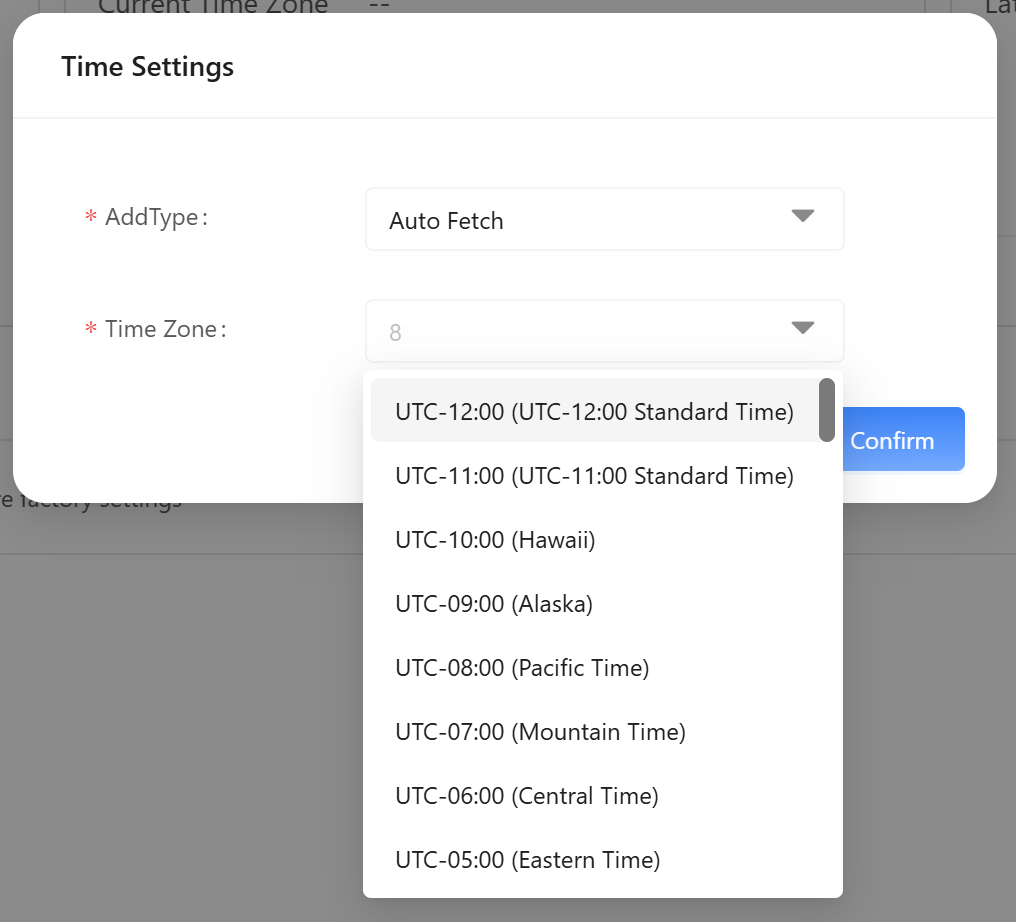
Used to view and configure system time information:
- System time
- Current time zone
👉 Correct time and time zone settings are essential for strategy execution and data recording.
A settings entry (⚙️) is provided at the bottom of the page to open the time zone configuration page for adjustments.
2.3 Upgrade Detection
Used to manage system versions and upgrade status:
- Current version
- Latest version (such as: Already the latest version)
👉 Supports checking whether a new version is available.
Operation buttons are provided at the bottom of the page:
- Check for Updates
- Perform Upgrade (if a new version is available)
3. Other Operations
Additional system maintenance functions are provided at the bottom of the page:
1️⃣ System Restart
Used to restart the device system.
👉 Recommended when the system is abnormal or after configuration changes.
2️⃣ Restore Factory Settings
Restores the device to its factory default state.
- All configurations (device access, strategies, etc.) will be cleared
- The system must be reconfigured after restoration
3️⃣ Configuration Export
Used to export the current system configuration file for backup or migration.
4️⃣ Configuration Import
Used to import an existing configuration file to quickly restore system settings.
5️⃣ Privacy Policy
Used to view the system privacy policy.
- It is recommended to back up configurations before performing a factory reset or firmware upgrade.
- Do not power off the device during reboot or upgrade.
- Incorrect time settings may cause abnormal strategy execution.
Through the System Management module, users can centrally maintain and manage the device to ensure stable system operation.