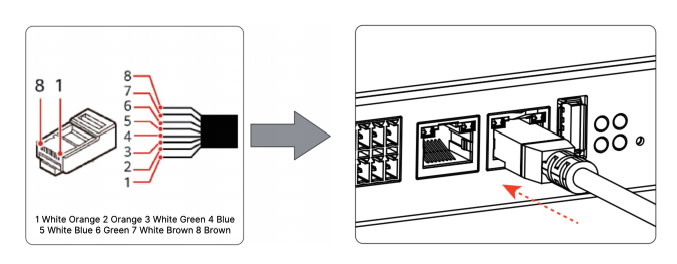
Cable Connections
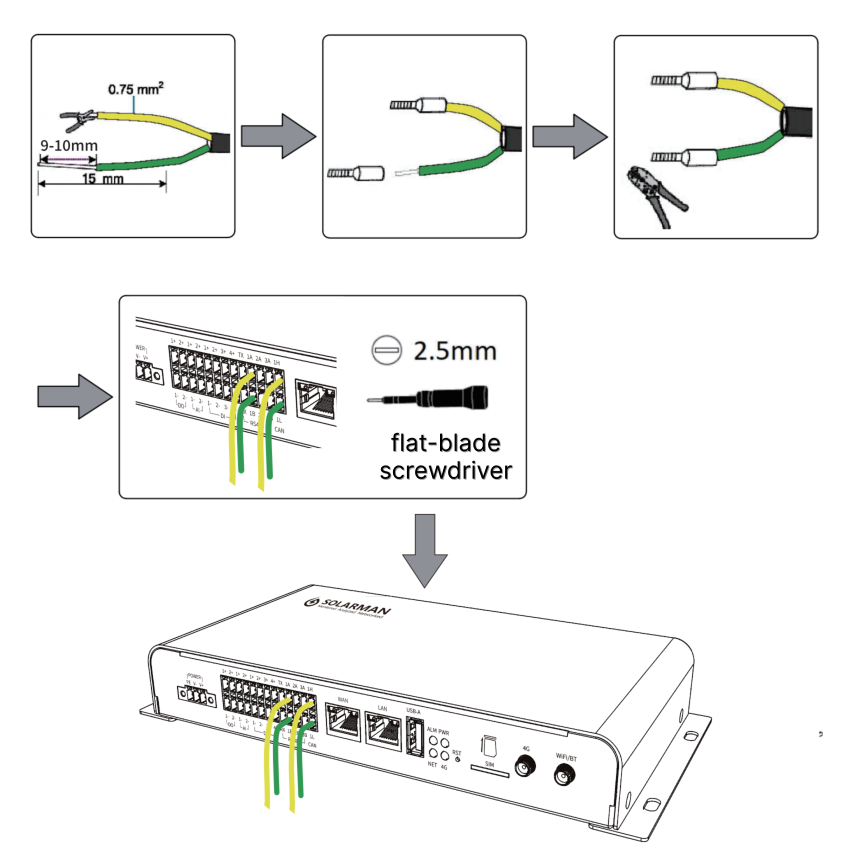
1. RS485/CAN Communication Wiring
- Strip 8~10mm of the outer sheath of the twisted-pair communication cable terminal.
- Insert the appropriate tubular terminal and press it tightly with crimping pliers.
- Use a 2.5mm flat-blade screwdriver to press the compression spring above the terminal port. Insert the tubular terminal into the terminal port until the terminal's insulating sheath is also inserted into the port. Release the screwdriver to tighten the tubular terminal.
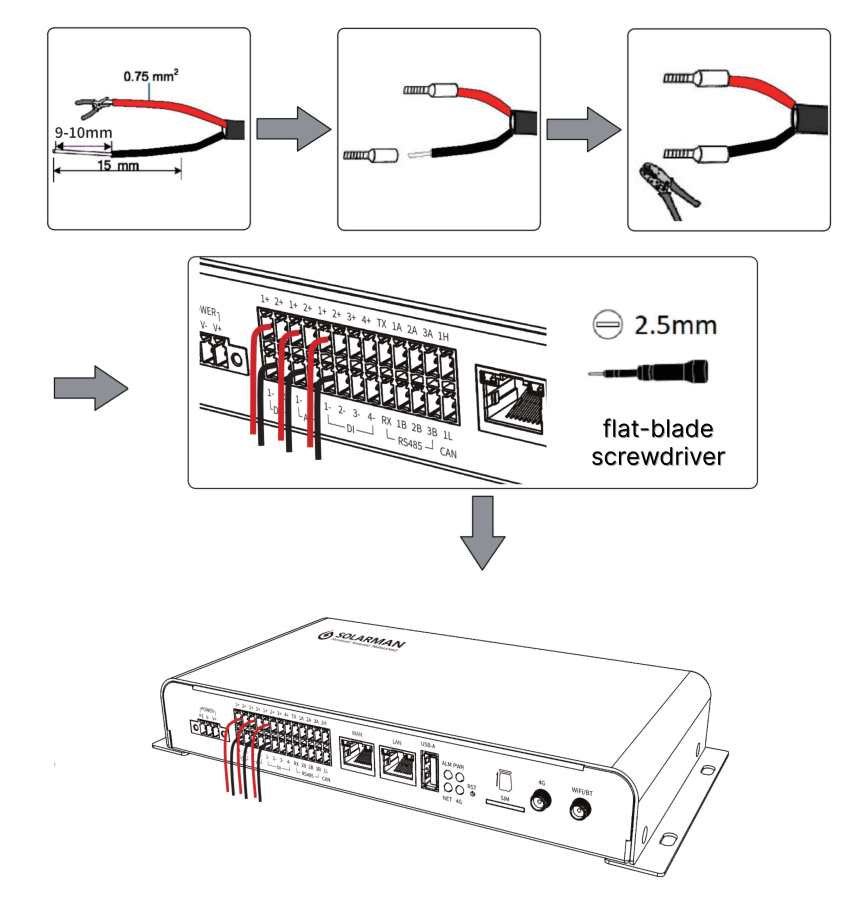
2. DI/PWM/AI/AV/DO Signal Wiring
- Strip 8~10mm of the outer sheath of the twisted-pair communication cable terminal.
- Insert the appropriate tubular terminal and press it tightly with crimping pliers.
- Use a 2.5mm flat-blade screwdriver to press the compression spring above the terminal opening. Insert the tubular terminal into the terminal opening until the terminal's insulating sheath is also inserted into the opening. Release the screwdriver to tighten the tubular terminal.
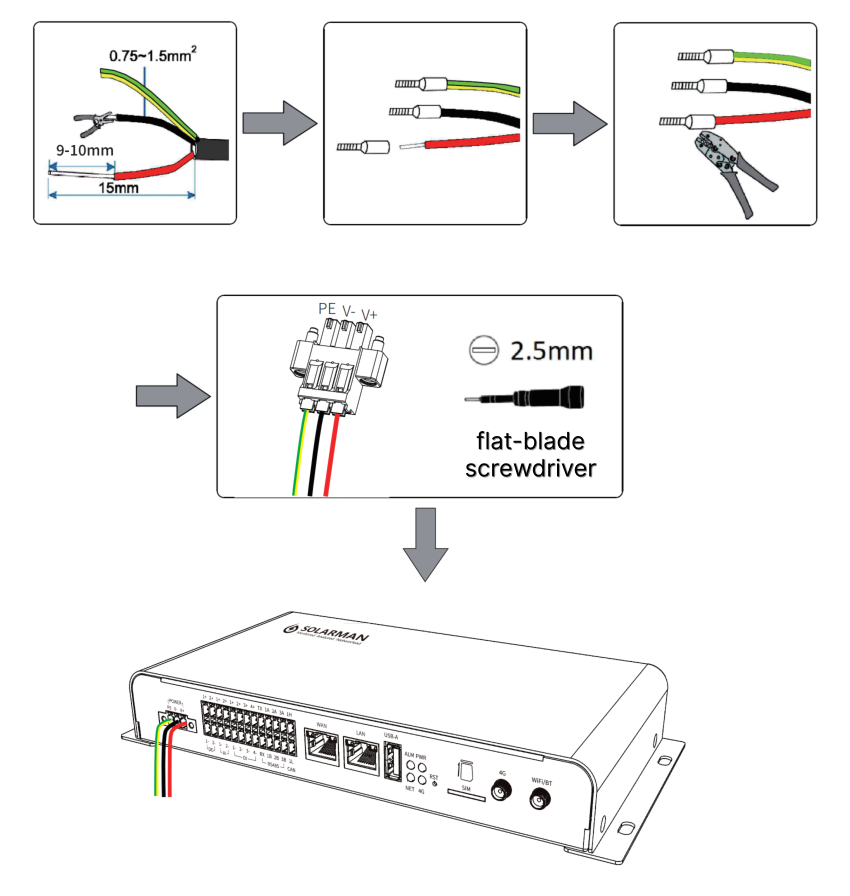
3. Power Input Port Wiring
- Strip 8~10mm of the outer covering of the power supply cable terminal.
- Insert the appropriate tubular terminal and press it tightly with crimping pliers.
- Use a 2.5mm flat-blade screwdriver to press the compression spring above the terminal port. Insert the tubular terminal into the terminal port until the terminal's insulating sheath is also inserted into the port. Release the screwdriver to tighten the tubular terminal.
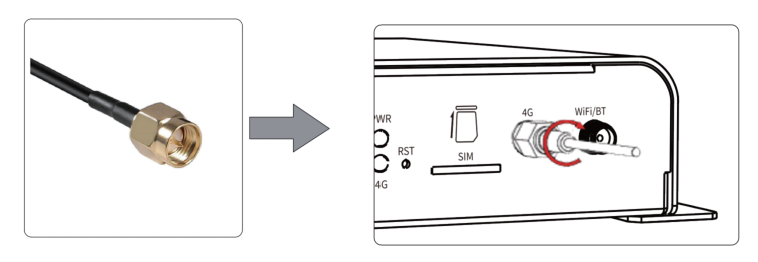
4. 4G/WiFi/GPS Antenna Installation
Connect the 4G antenna to the port shown in the figure and tighten it by hand until it is secure. Install the WiFi/GPS antenna in the same way as above.
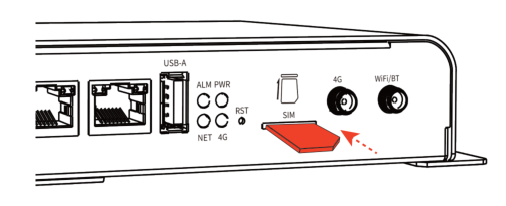
5. SIM/SD Card Installation
Insert the SIM card into the SIM card slot. Install the SD card in the same way as above.
6. WAN/LAN Port Connection
As needed, use a CAT-5e or higher cable to prepare an RJ45 connector, and then insert the connector into the corresponding network port.